DriveVisualizer stable
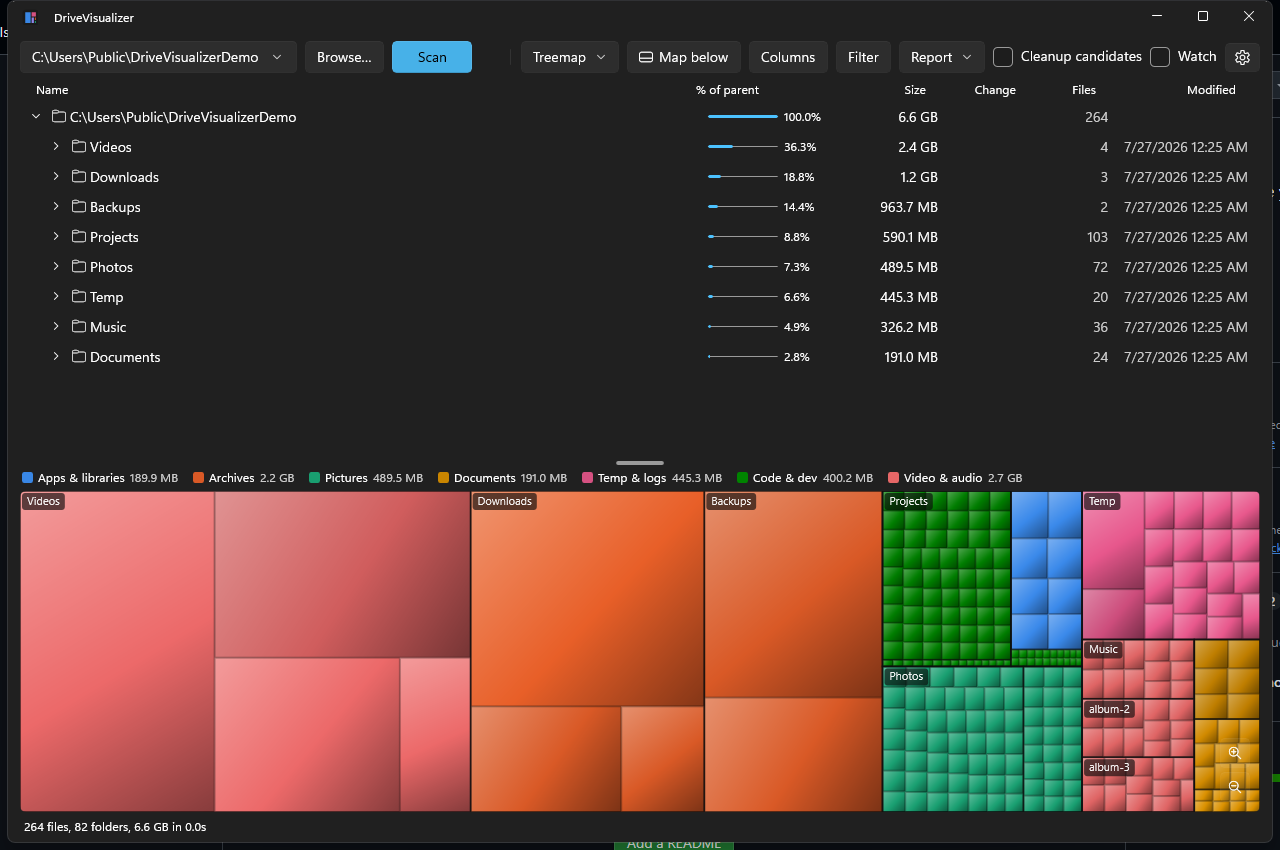
A fast, WinDirStat-style disk usage analyzer for Windows (WinUI 3 + Win2D) — scans a drive in parallel, draws it as a treemap, sunburst, or icicle, and lets you clean up straight from the map.



Install
# From the Microsoft Store — one click, auto-updates:
# https://apps.microsoft.com/detail/9NRTBGF2T3B6
#
# Or build from source (requires the .NET 10 SDK):
git clone https://github.com/guscatalano/DriveVisualizer
cd DriveVisualizer
dotnet build DriveVisualizer.slnx
Source
What it does
Point it at a drive or folder and see where the space actually went:
- Fast parallel scanning — raw
FindFirstFileExacross all cores; a 1M-file system drive scans in seconds when warm. Junction/symlink-safe (no double counting), long-path-safe, and allocated-size aware, so compression, sparse files, and OneDrive placeholders report honestly. - Live results — the tree and the map fill in while the scan runs.
- Three views — cushion-shaded treemap, DaisyDisk-style sunburst, and a flame-graph icicle. Selection, hover, and zoom stay in sync with the tree in every mode.
- Colors that mean something — nine semantic categories (apps, archives, pictures, documents, temp & logs, code, disk images, media, other) with a legend, per-category filtering, and a colorblind-validated palette.
- Act on what you find — right-click to open, reveal in Explorer, copy the path, delete to the Recycle Bin, delete permanently, or zip-and-delete the original. The totals re-aggregate immediately.
- Cleanup candidates — one checkbox narrows the view to conservative, explainable targets: temp folders, caches, logs, the recycle bin,
node_modules. - What changed — every scan saves a baseline, so the tree grows a red/green change column against the previous scan, with a full diff report of the top growers and shrinkers.
- Size history — a daily snapshot builds into a stacked-bar chart of the drive over time, per category. Snapshots can run on a schedule in the background, with retention limits you set.
- Drive health (S.M.A.R.T.) — a drive info dialog with the hardware facts (SSD or HDD, NVMe / SATA / USB bus, capacity, partitions, firmware) alongside temperature, wear and spare capacity, power-on hours, power cycles, unsafe shutdowns, media errors, and lifetime bytes read/written. Every snapshot stamps those readings too, so the history report grows a drive-health trend table next to the size charts. It reads unelevated — no admin prompt, no driver — and quietly shows less on drives that don't expose the data.
- Reports — self-contained HTML (dark/light aware, prints to PDF) plus snapshot files you can compare against later.
- Stays current — refresh a single folder from its context menu, or turn on Watch to auto-refresh folders as files change on disk.
Install
Now on the Microsoft Store — free, one click, and it updates itself from there.
Requires Windows 10 (17763+) or Windows 11. It runs as your normal user account — anything Windows won't let you read is skipped rather than elevated into.
See the privacy and security notes for what it stores and how the delete actions behave.